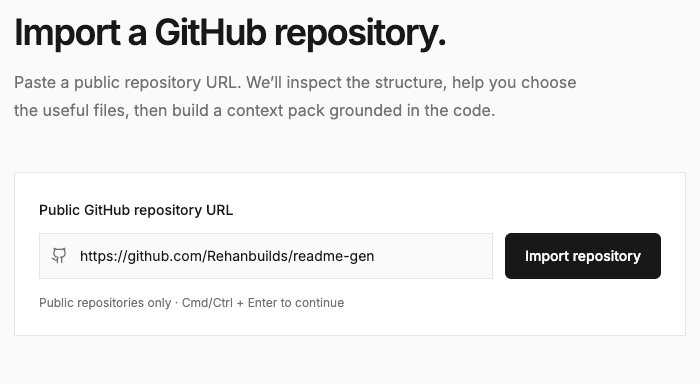
Add your repository
Paste a public GitHub repository URL and let AgentPrep inspect the codebase.
AI CODEBASE PREP
Analyze your repository and generate structured context, architecture, and instructions for Codex, Claude Code, Cursor, Antigravity, and other coding agents.
No account required for public repositories.
GITHUB REPOSITORY URL
https://github.com/owner/repository
Review its file tree and select relevant source files in the app.
Structure
Directories and entry points
Evidence
Findings with file references
Impact
Related systems and files
Preview, copy, edit, or download the generated files.
The problem
Every unfamiliar codebase comes with architecture, dependencies, conventions, entry points, APIs, and hidden relationships. Before an agent can work effectively, someone has to explain all of that. AgentPrep creates that starting context from the repository itself.
How it works
Paste a public GitHub repository URL and let AgentPrep inspect the codebase.
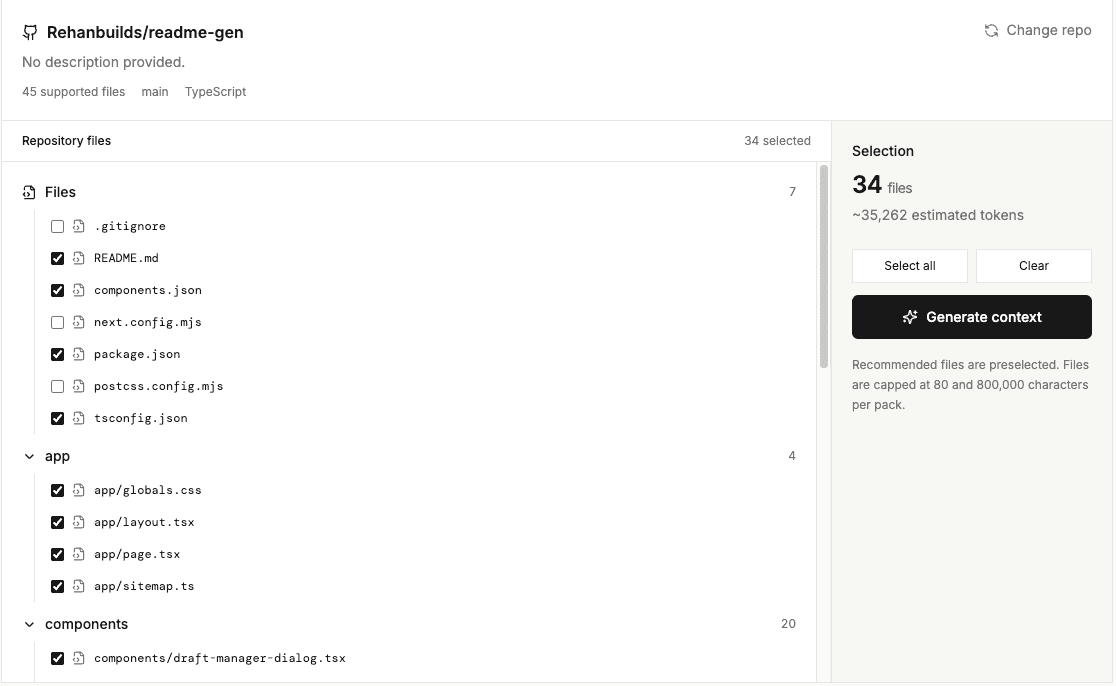
Explore the repository structure and select the files that matter.
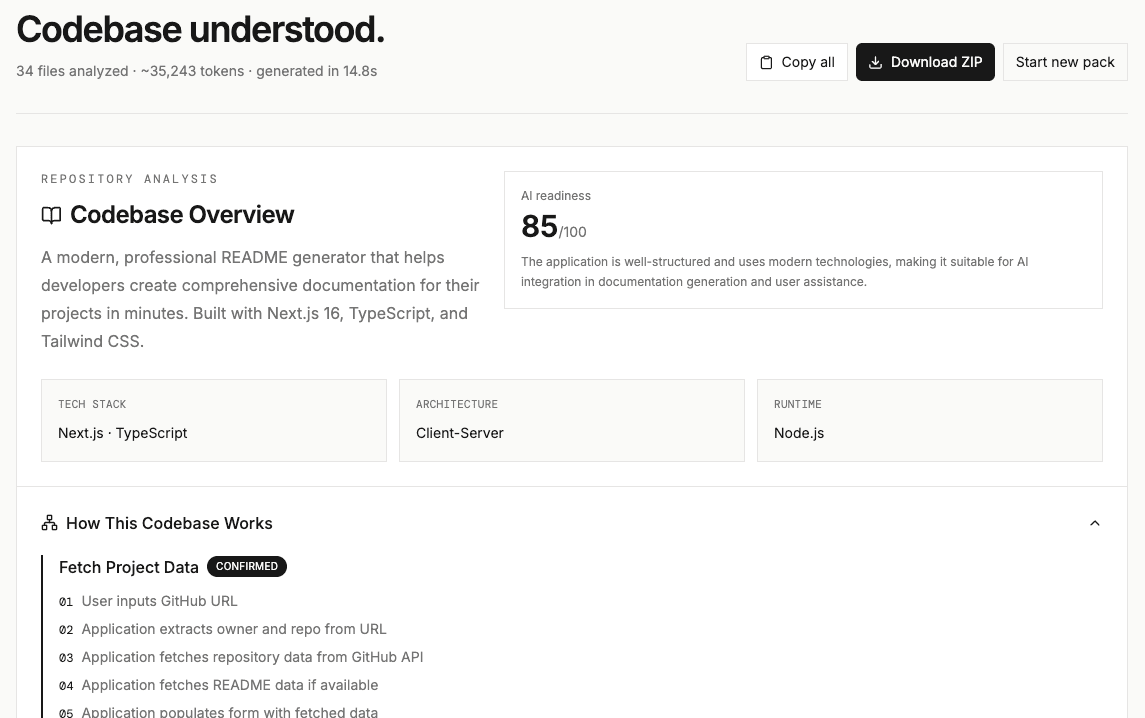
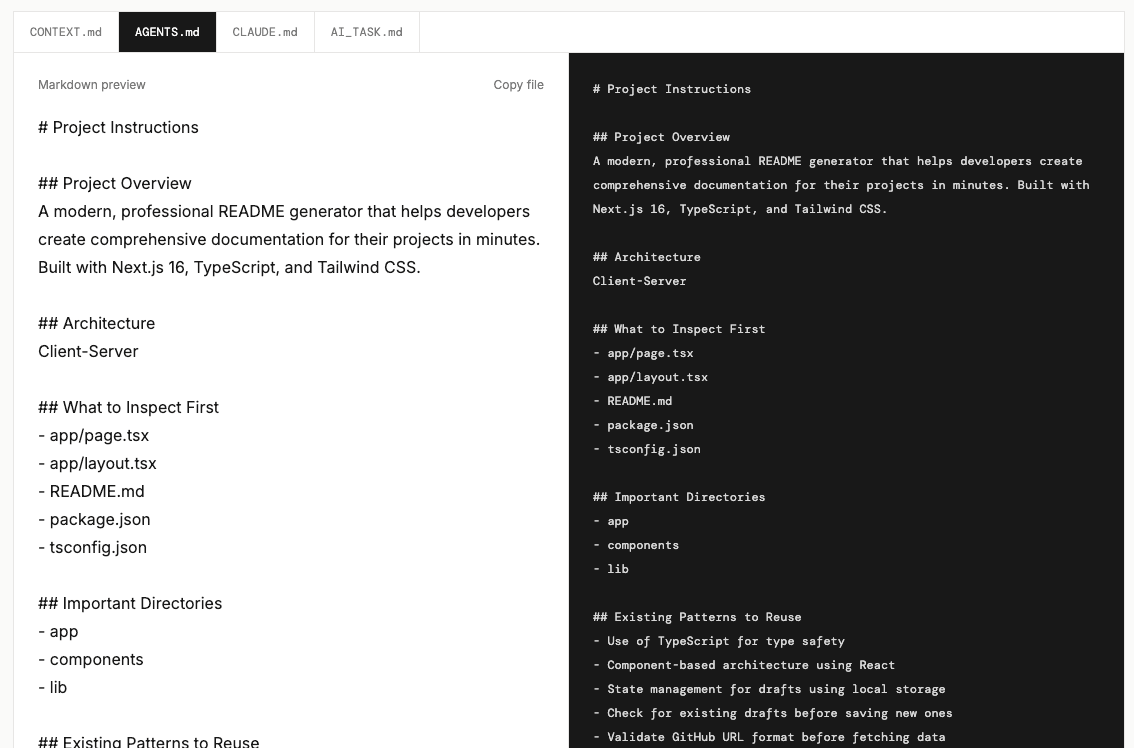
Generate structured context and instructions for your AI coding workflow.
What AgentPrep generates
Turn repository structure and source code into focused, reusable context for your AI coding workflow.
Repository instructions, existing patterns, and guidance for coding agents.
Project overview, architecture, evidence, relationships, and change impact.
Project context and repository-specific guidance for Claude Code.
A reusable task brief with relevant context and constraints.
Why AgentPrep
Understand how the major parts of the codebase fit together.
Surface technologies, packages, frameworks, and important relationships.
Capture existing patterns and instructions before making changes.
Connect files, modules, APIs, data flows, and structure with evidence.
Before and after
Without AgentPrep
With AgentPrep
Repository context, ready before the first task.
Context helps your agent orient itself; it does not guarantee error-free changes.
Agent workflow
AgentPrep doesn’t replace your coding agent. It prepares the context your agent needs before you start.
Your code is yours
AgentPrep processes selected repository files for the analysis you request. Files are fetched server-side and sent to Vercel AI Gateway; the app does not persist repository files. Analytics is currently a no-op, so repository content is not sent to analytics.
A better starting point
Turn your repository into structured, agent-ready context before your next coding task.
Prepare your next repository Start with a public GitHub repository.